
Home
The Home tab connects noxen to a process on an Android device. It also shows the noxen, Frida and Python versions and the open project.
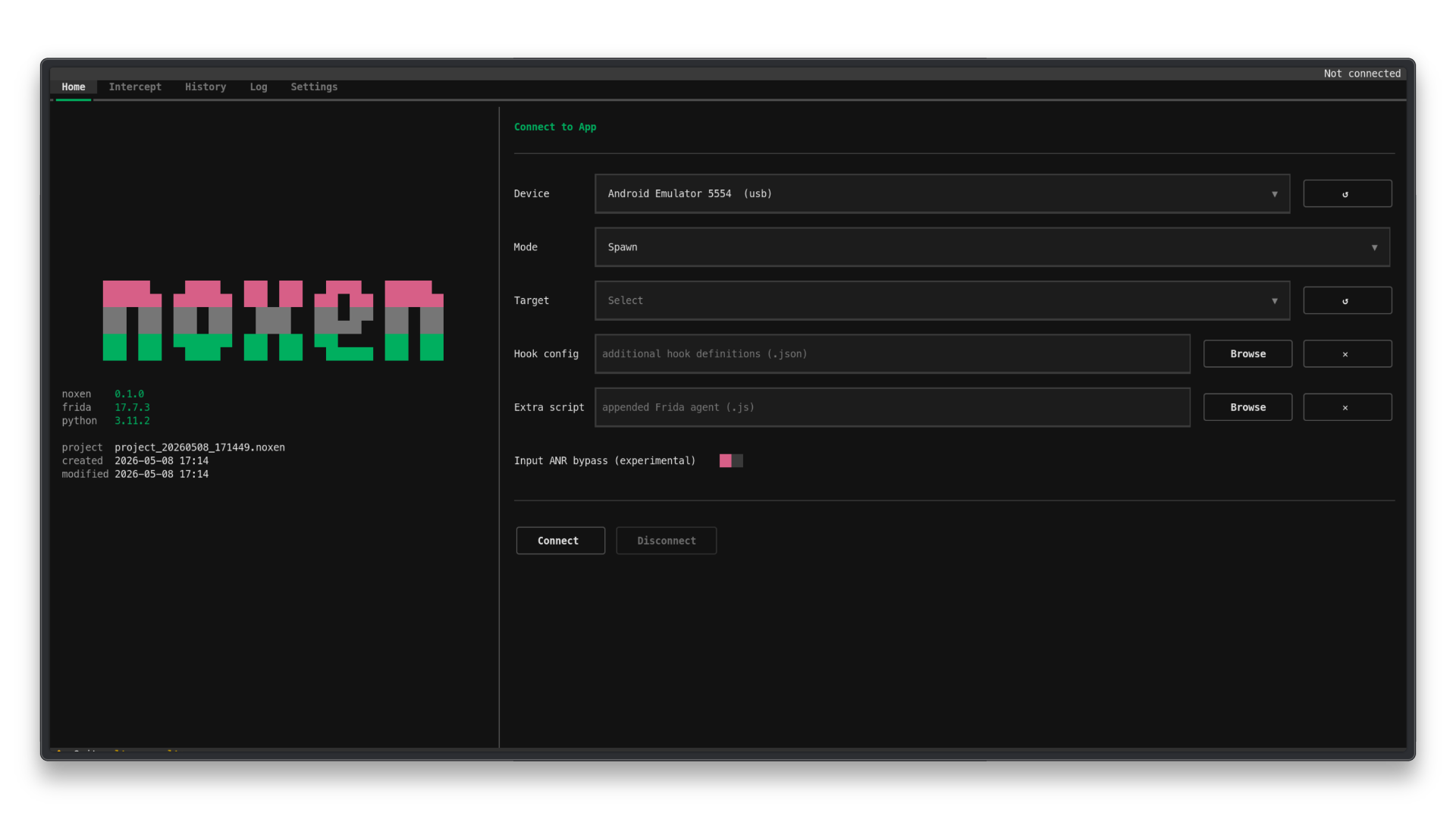
Connect to an app
Section titled “Connect to an app”- Select a Device. If only one device is found, it is selected for you. Choose ↺ to scan again, for example after starting an emulator.
- Select a Mode.
- Select a Target. Choose ↺ to list the apps or processes again.
- Choose Connect.
noxen switches to Intercept when the agent is ready. If the connection fails, or only some hooks install, Log says why.
| Mode | Use it to |
|---|---|
| Spawn | Start the app, so that hooks are in place before its startup code runs |
| Attach (app name) | Connect to a running process by name |
| Attach (PID) | Connect to one running process by its PID |
Attaching cannot capture calls the app made before you connected. To observe startup, use Spawn.
Devices
Section titled “Devices”The list shows USB and remote devices; it shows this computer only when there is
nothing else. Local Socket appears only while a frida-server answers on
127.0.0.1:27042, for example after:
adb forward tcp:27042 tcp:27042Hook config
Section titled “Hook config”Hook config adds the hooks in a JSON file to the default ones. noxen saves the path in the project and reads the file again each time you connect. See Hook configuration.
Extra script
Section titled “Extra script”Extra script loads your own JavaScript into the agent, after noxen’s. Only load scripts you trust: they run with the agent’s access to the app.
- The script can use
Javadirectly. Supply plain JavaScript or a bundle: compile TypeScript and resolve imports first. - In Spawn, the script runs before noxen installs its hooks and resumes the app.
Work it schedules, for example with
Java.perform()or a timer, can run later. Avoid blocking waits. - Do not define
rpc.exportsor send messages with anoxenEventfield: noxen uses them. Hooking an overload that noxen also hooks can conflict. - A script that fails to load stops the connection. Later errors appear in Log;
enable Verbose logs to see your
send()messages.
If the script changes the app’s state, restart the app before the next test.
Input ANR bypass (experimental)
Section titled “Input ANR bypass (experimental)”On a rooted device, this switch asks Android’s system_server to postpone the
input-dispatch ANR while noxen holds an Intent. Other Android deadlines still apply.
See Android behavior and limits.