
noxen playground
noxen playground is the companion Android app used to validate noxen against known
runtime flows. It is not required to use noxen on real targets, but it is useful when
you want a controlled app that produces predictable Activity, BroadcastReceiver,
Service, PendingIntent, and attack-surface events.
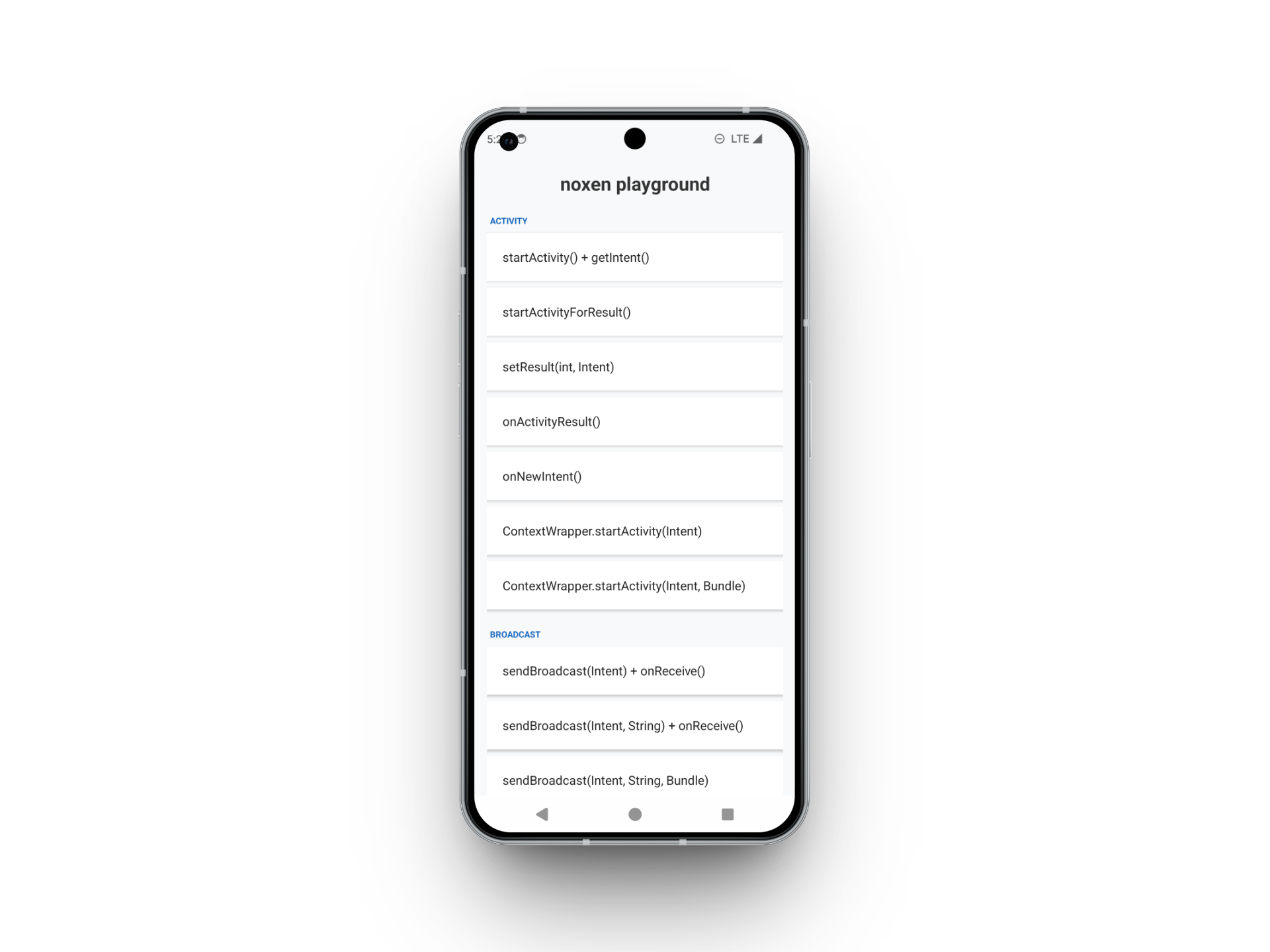
App identity
Section titled “App identity”| Field | Value |
|---|---|
| App label | noxen playground |
| Package | dev.noxen.playground |
| Repository | noxen-playground/ |
Open noxen-playground/ directly in Android Studio. Do not open the workspace parent
directory as an Android project, because the workspace contains multiple independent
git repositories.
From the playground repository:
./gradlew assembleDebugInstall and launch it from Android Studio, or use the generated debug APK.
What it covers
Section titled “What it covers”The main screen contains buttons for representative Android communication paths:
startActivity,startActivityForResult,onActivityResult, andonNewIntent- Intent selector routing with three dedicated buttons: an active selector when the base Intent has no component, an ignored selector when a different base component takes precedence, and a redundant selector that names the same component as the base Intent
- ClipData with two
content://URIs and a read grant flag, or a mixed item containing text, HTML, and an Intent with its own ClipData. These buttons exercise the[CLIP DATA]detail and nested rendering in Intercept and History sendBroadcastand ordered broadcasts- three broadcast permission examples: protected receiver (
Receiver2, sender needsSEND_TO_RECEIVER), receiver permission (Receiver1, recipient needsRECEIVE_BROADCAST), and both permissions (Receiver2, both restrictions). Both permissions use thedev.noxen.playground.permission.prefix and protection levelsignature; the playground declares and requests them. CompareRequired Permissionbelow Component withReceiver Permunder Hook. These same-app examples demonstrate configuration and capture, not rejection of an unauthorized app - dynamically registered receivers, reached by an implicit broadcast either open to
any app or limited with
setPackage(). Compare the captured Package field; noxen does not predict or enumerate the recipients startService,startForegroundService, andbindService.startForegroundServicetargets a dedicated, non-exportedForegroundService1that callsstartForeground()promptly and then stops itself. Missing that foreground-service startup deadline can cause Android to terminate the process; it is not necessarily an ANR dialogPendingIntent.getActivity,getBroadcast, andgetService- concurrent broadcasts from multiple worker threads
- explicit and implicit examples for exported and non-exported Activity behavior
- permission scenarios for the Info app tab and the event detail:
a receiver guarded by a
dangerouspermission (accessweak), a receiver guarded by a permission no package defines (unresolved), a provider guarded by asignaturepermission (protected), and a provider with split read/write permissions plus a/publicpath permission that opens reads (open)
These scenarios are intentionally small. Their purpose is to make it easy to verify that hooks, History, Intercept, filtering, stack traces, and modification handling work as expected.
The selector buttons exercise known Activity scenarios. Noxen displays the captured objects and each explicitly named component’s metadata; it does not display an inferred active/ignored role. The PendingIntent buttons request factory tokens; they do not themselves demonstrate a later token send.
Check a null Intent callback
Section titled “Check a null Intent callback”- Connect noxen and start with Intercept off for a simple History-only check.
- Press startActivityForResult(), which opens
Activity2. - Press Android Back. This Activity does not set a result Intent.
- Inspect
onActivityResult()in History: new captures showIntent: null (no Intent object).
Repeat with Intercept on to verify blocking, forwarding the launch events as needed.
At the null callback, Edit is disabled and Forward and Drop remain available.
The separate onActivityResult() button opens Activity4, which supplies a result
Intent; it is not the null-result example. Filters or an event already held can
prevent a new active block even though the callback appears in History.
Running with noxen
Section titled “Running with noxen”Launch noxen and select the playground from the Home tab. Use Spawn mode with
package dev.noxen.playground, or Attach mode with name
noxen playground if the app is already running.