
History
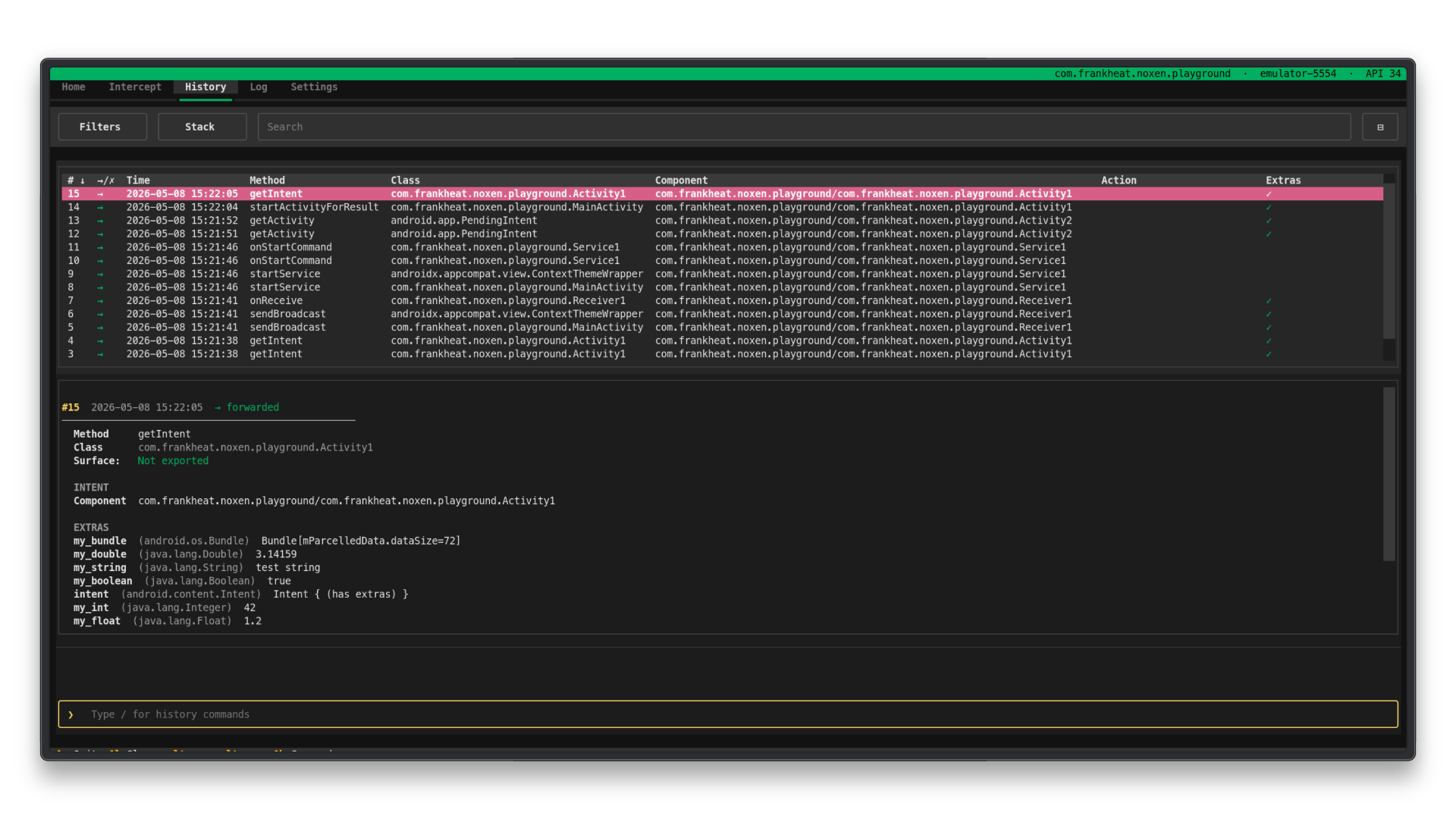
The History tab lists captured Intents and provider calls, including those forwarded automatically by a filter or recorded with interception off. It is saved in the project, so you can review it without connecting again.
Outcomes
Section titled “Outcomes”| Outcome | Meaning |
|---|---|
forwarded | The call continued unchanged |
modified_forwarded | The call continued with at least one change |
dropped | The call or its result was suppressed |
| Pending | No decision was recorded |
The outcome is the decision at the hook. Whether Android delivered the Intent has to be checked separately.
A ! beside the outcome means an edit failed, or noxen could not confirm it. Open
the detail: its CHANGES section shows each change with the value before and after.
Time is when the agent saw the Intent, in UTC. For a held Intent, Released at is when the hook gave control back to the app. Use it, not Time, to compare with calls that followed the release.
Capture order numbers observations within a connection, shared with Monitor. See Correlating History and Monitor events.
Search
Section titled “Search”Type part of a class, action, URI or extra value. Search ignores case and covers the selector and ClipData. For an edited Intent, it searches the values after the edit.
Search does not cover the Package field, stack traces or permissions. A very large capture can exceed the search index; if a search finds nothing, check the detail before ruling a value out.
For rules saved in the project, use Filters.
Columns
Section titled “Columns”⊟ shows or hides columns and sets their widths. Capture order is hidden by default. Columns are saved in the project.
Provider calls and Cursor previews
Section titled “Provider calls and Cursor previews”To record query results without pausing the app for a decision, enable Settings → Capture Cursor previews and save. The change applies to subsequent queries in the current session. Queries that proceed without a response hold show their preview in History. noxen reads up to 100 rows and 32 columns within 64 KiB, restores the original position and returns the original Cursor. History marks truncated results and omitted cells as partial. This option is off by default because moving the Cursor can load data and add latency.
History keeps a provider request and its response in one entry. Null Cursors and provider exceptions are recorded without a separate response hold. The Response section shows captured rows or a partial capture marker.
JSON view
Section titled “JSON view”Ctrl+T shows the selected capture as JSON. Intents use Sender’s request
format. Provider calls use the same request fields when they can be
reconstructed in Sender. Other provider calls show their captured
arguments. Returned values and Cursor captures appear under response.
See View as JSON.
Use To Sender to create a Sender request from a captured Intent or a supported provider call. For provider calls, noxen uses the arguments that were forwarded, including any edits, when available.
Project files can contain secrets and personal data. Review them before sharing.
Ctrl+L deletes the captures from the project. A held Intent stays
held in Intercept.
Storage warnings
Section titled “Storage warnings”A capture marked Storage warning may be missing from the project, or missing its latest changes. Export History before quitting to keep it; noxen does not retry the write.